A video call that doesn’t feel like a meeting
Virtual holiday party ideas
Remote and hybrid teams can absolutely throw a holiday party worth showing up for — the difference between a fun one and a boring meeting is structure. Here are virtual holiday party ideas that work: games built for video, kits you ship ahead (even to a distributed team), a tight run‑of‑show, the tech check that prevents the classic flops, and how to keep hybrid rooms from leaving remote folks out.
Start here
Why most virtual parties flop, and how to fix it
The default video party — “everyone hop on and hang out” — dies in silence because there’s nothing to do. Fix it with four moves and it works every time:
- Give it one anchor activity, not open mingling. Trivia, a game, a class — something with a start and a finish.
- Cap it at 30 to 45 minutes. Short and good beats long and awkward. People leave wanting more, not checking the clock.
- Ship something physical. A kit, cocoa, a cookie, a cocktail — gives everyone the same thing on screen and makes it feel like an event.
- Open with a five‑minute icebreaker, never a screen of silence. Then let it breathe.
This is the remote and hybrid playbook. Throwing something in person? See the corporate & work party guide.

Games & activities
Virtual party games that actually work on video
The best online party games need no setup and let everyone play at once — no waiting your turn while twelve people watch:
- Holiday trivia run from a free quiz tool, with teams in breakout rooms for bigger groups.
- A virtual escape room — the strongest anchor for a team that likes a challenge.
- Name‑that‑holiday‑tune — play five seconds, first to drop it in chat wins.
- Two truths and a holiday lie, or “guess whose childhood holiday photo” — great for teams that don’t know each other well.
- A virtual cocktail or cookie class using the kit you shipped — doubles as the activity and the snack.
- A themed background contest — zero cost, and the screen looks festive instantly.

Send something
Kits and care packages that make it feel real
The single biggest upgrade to a virtual party is mailing everyone the same thing to open on the call. It turns “a meeting with party hats” into an actual shared moment. Easy options: a hot cocoa or cocktail kit, a cookie‑decorating set, a small snack box, or a branded mug with treats. Order 2 to 3 weeks ahead so it lands before the date, collect home addresses with a quick form (and a deadline) well in advance, and keep a non‑alcoholic version of any drink kit so nobody’s left out.
For a distributed team, shipping is the catch — international parcels are slow, pricey, and get stuck in customs. Don’t fight it: for anyone you can’t easily reach by mail, send a digital gift card “to grab your own snack and drink for the call,” or use a local delivery service in their city. A teammate who expensed their own cocoa is just as in‑the‑moment as one who got a box — what matters is everyone has something in hand, not that it came from the same warehouse.

The plan
A 30‑minute run‑of‑show you can steal
Structure is what separates a fun virtual party from a dead one. Here’s a tight schedule that keeps energy up start to finish:
| Time | What’s happening |
|---|---|
| 0–5 min | Welcome and a quick icebreaker — everyone shows their kit, their pet, or their worst holiday sweater. |
| 5–10 min | A short host moment or year‑in‑review, kept genuinely short, plus the plan for the next 20. |
| 10–25 min | The anchor activity — trivia, the class, or the escape room. Breakouts for bigger groups. |
| 25–30 min | Winners, a group photo (everyone on camera), and an open “stay if you want” hang for whoever’s not rushing off. |
Before you go live
The tech check that prevents the classic flops
A great plan still dies if the music won’t play or one person hijacks the screen. Run through this before anyone joins:
- Share the sound, not just the screen. The number‑one music‑game failure: name‑that‑tune is silent because “share computer audio” wasn’t ticked. Test it with a real clip first.
- Have a co‑host. One person presents; the other admits latecomers, opens breakout rooms, watches the chat, and mutes the accidental open mic. Solo‑hosting a party and running the tech at once is how the energy stalls.
- Test the activity tool live. Open the trivia app or escape room and click through it on the actual call setup — not five minutes before, with everyone watching.
- Have a Plan B. If the fancy tool breaks, a chat‑based round of trivia or “guess the photo” needs nothing and saves the night.
- Send the link early with a one‑line “have your kit and a drink ready,” so the first five minutes aren’t troubleshooting logins.
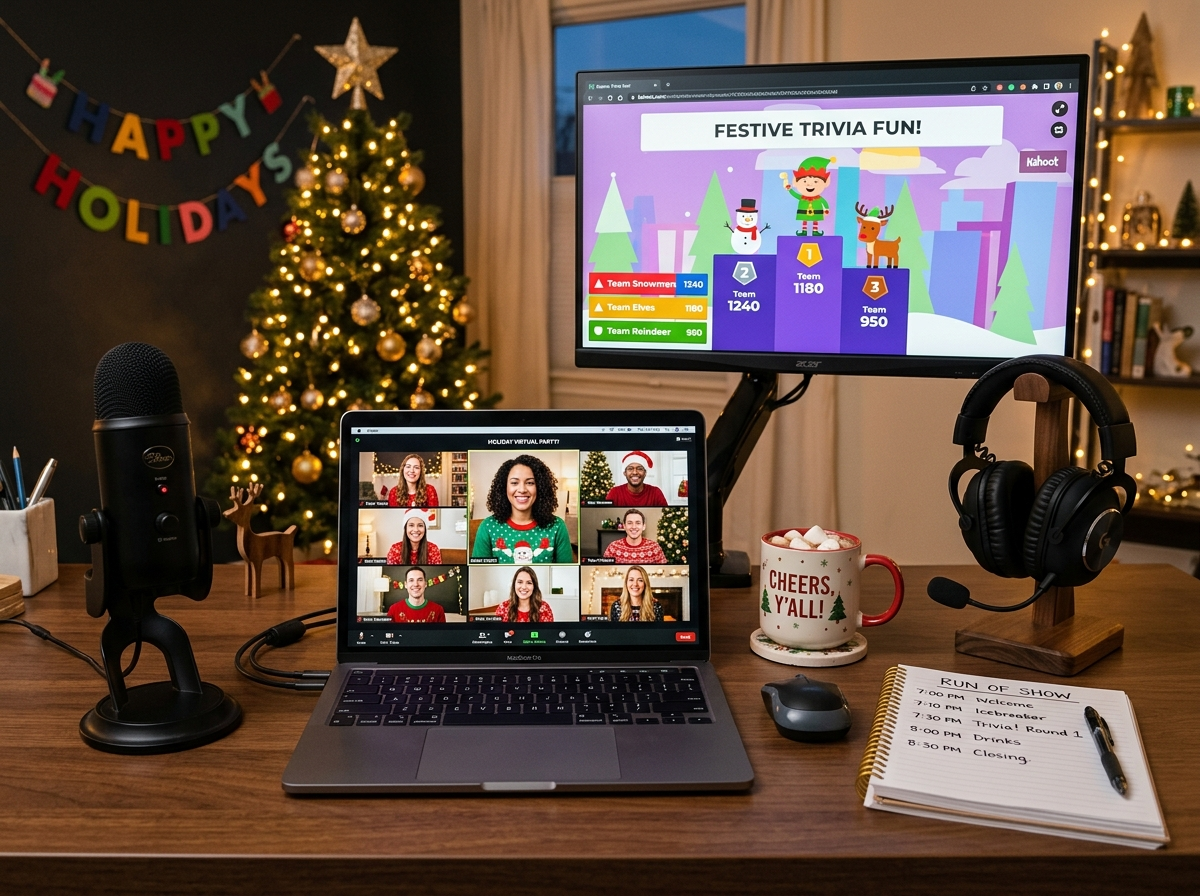
Hybrid
Making hybrid parties fair to remote folks
The classic hybrid fail is a loud in‑office group and a few remote people stuck watching a far‑away webcam. To keep it even: give the in‑room group one good camera and a decent mic placed where remote people can actually see and hear, run games where remote and in‑office are on mixed teams (not “the office vs the laptops”), and assign someone in the room to watch the chat so online voices get heard. When in doubt, design the activity for the remote experience first — the in‑room crowd will be fine either way.

Free & easy
Free virtual party ideas
No budget? You can still pull off a good one. Run trivia or name‑that‑tune from a free tool, host a themed‑background or ugly‑sweater contest, do a virtual white elephant with gift cards or “re‑gift what’s in your house” rules, or set up a shared playlist and a holiday show‑and‑tell. The structure matters more than the spend — a free party with a real activity beats an expensive one with none. If you’re watching every dollar, our cheap holiday party ideas stretch further still.
By tool & team
Ideas for Zoom, remote teams, and big groups
Most of this works on any platform, but a few specifics help. On Zoom, lean on breakout rooms for games and reactions for quick votes. For a fully remote team, add an async option (a shared playlist, a photo thread, a recipe swap) so split time zones aren’t excluded. For larger groups, breakouts and a clear host are non‑negotiable — twenty people in one feed is chaos. Pair it with team‑friendly party games that translate well to video.
What to skip
Virtual party mistakes to avoid
The big ones: no activity — “let’s just chat” is how you get silence. Too long — past 45 minutes, attention falls off a cliff. Making it mandatory — opt‑in keeps the energy willing. Skipping the tech check — silent music and login chaos kill the first five minutes. Ignoring time zones — pick a time that works for the most people, or run two short sessions. And missing the kit deadline — order early or it arrives after the party.
Keep going
Plan the rest of it
Need the in‑person side too? See the corporate & work party guide. For the details, grab a theme and a few games, or send guests a gift instead of a kit.
Quick answers
Virtual holiday party FAQ
How do you make a virtual holiday party fun?
Build it around one anchor activity (trivia, a class, an escape room) instead of open mingling, cap it at 30 to 45 minutes, ship everyone a kit to open on the call, and open with a quick icebreaker. Structure is what separates a fun virtual party from a dead one.
How long should a virtual holiday party be?
30 to 45 minutes for most teams. Online attention fades fast, so a short, well‑run party beats a long one. Leave an optional “stay and hang” window at the end for anyone not rushing off.
How do I send a kit to a distributed team?
Order physical kits 2 to 3 weeks ahead and collect addresses with a form and a deadline. For teammates you can’t easily ship to — different countries, tight timelines — send a digital gift card to buy their own snack and drink, or use a local delivery service. What matters is everyone has something in hand.
What’s the most common virtual party tech mistake?
Forgetting to share computer audio, so the music game plays in silence. Test it with a real clip first, have a co‑host manage breakouts and the chat, and keep a no‑tech backup like chat trivia in case a tool fails.
What are good free virtual holiday party ideas?
Trivia or name‑that‑tune from a free tool, a themed‑background or ugly‑sweater contest, a virtual white elephant, and a shared playlist with a holiday show‑and‑tell. The activity matters more than the budget.
How do you run a fair hybrid holiday party?
Give the in‑room group one good camera and mic, put remote and in‑office people on mixed teams, and assign someone to watch the chat so online voices are heard. Design the activity for the remote experience first.
Your virtual party, sorted
Pick one anchor activity, keep it to half an hour, get a kit to everyone ahead of time, run the tech check, and open with an icebreaker. That’s a remote party people will actually log on for.